No products in the cart.

Dell Desktop Computers in Egypt
Compare Dell desktop computers currently available from Winner Brands. Review processors, memory, storage, form factor, displays, warranty and current prices. Each product page displays the current price, stock status, exact specification and warranty information.
Sale!
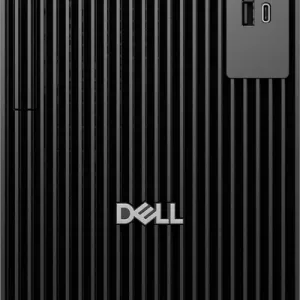
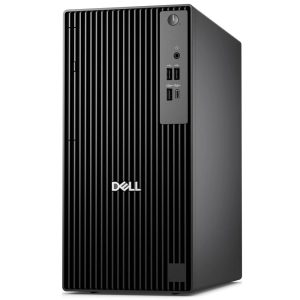
Dell Pro Tower QCT1250 – Intel Core i7- 14700H – 8GB – 512GB SSD – Intel® Graphics – Black – 3 Years Warranty
Original price was: 46,999.00 EGP.45,999.00 EGPCurrent price is: 45,999.00 EGP.Sale!
Dell Pro Tower QCT1250 – Intel Ultra 7-265 – 8GB – 512GB SSD – Intel® Graphics – Black – 3 Years Warranty
Original price was: 46,999.00 EGP.45,999.00 EGPCurrent price is: 45,999.00 EGP.How to choose a Dell desktop computer
Start with the intended use, required features and compatibility. Compare the complete specification rather than the model family or brand alone, because configurations and included items can differ.
Product availability and prices can change. Use the current product page to confirm the exact specification, stock status, warranty and included accessories before ordering.
Explore more desktop computers
Browse all desktop computers in Egypt to compare other available brands and models.
Frequently asked questions about Dell desktop computers
Are all Dell models on this page currently available?
This page is limited to published Dell products in the selected category, but stock can change as orders are placed or new inventory arrives. Open the individual product page to confirm the current stock status and price before ordering.
How should I compare similar Dell models?
Use the complete model code and compare the exact specification, intended use, compatibility, included items and warranty. Products in the same family can have different components or features, so the family name alone is not enough to make an accurate comparison.
How can I confirm the warranty and items included in the box?
Review the warranty and included-items information on the exact product page. Do not assume that accessories, cables, software, ink, bags or promotional gifts shown with another configuration are included unless they are stated for the listing you intend to buy.
Which desktop specification is suitable for office or professional work?
Office and everyday users should prioritize a balanced current processor, sufficient RAM and SSD storage. Programming, engineering, content creation and demanding multitasking can require more memory, stronger processors or dedicated graphics, so match the complete configuration to the applications you will run.
Should I choose a tower, small-form-factor or all-in-one computer?
A tower usually offers the most room for upgrades, while a small-form-factor PC saves desk space. An all-in-one combines the computer and display for a cleaner setup, but upgrade options can be more limited; compare workspace, performance and serviceability before choosing.
Does a desktop computer include a monitor and accessories?
A monitor is normally separate unless the title or included-items list says otherwise. Check whether a keyboard, mouse, Wi-Fi adapter, operating system or display cable is included, and confirm that the available display outputs match the monitor you plan to use.