No products in the cart.

Samsung Monitors in Egypt
Compare Samsung monitors currently available from Winner Brands. Review screen size, resolution, panel type, refresh rate, ports, warranty and current prices. Each product page displays the current price, stock status, exact specification and warranty information.
Sale!
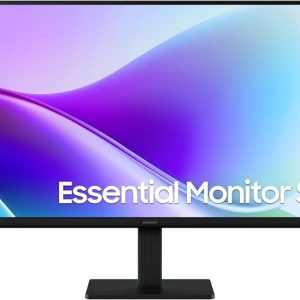
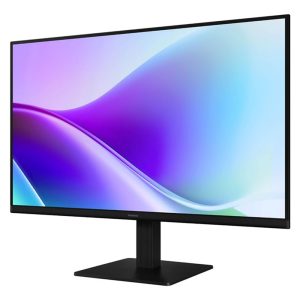
Samsung Monitor S3 LS27L320GAUXEN LED 27 inch, 1920 * 1080 FHD, 100Hz, 250nits, Vga/HDMI
Original price was: 5,999.00 EGP.5,555.00 EGPCurrent price is: 5,555.00 EGP.Sale!

Samsung Monitor LS24F330EAUXEN LED 24 inch, 1920 * 1080 FHD, 100Hz, 250nits, Vga/HDMI
Original price was: 4,999.00 EGP.4,666.00 EGPCurrent price is: 4,666.00 EGP.Sale!
In stock
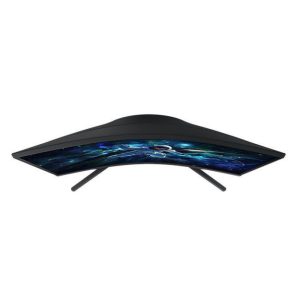
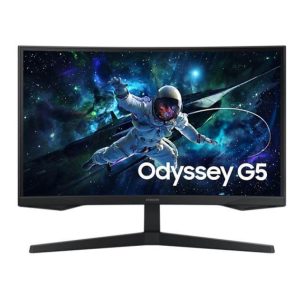
Samsung Monitor Odyssey G5 LS27CG552EMXEG QHD 27 Inch GAMING, 2560*1440 FHD-165Hz, 1ms response, DP / HDMI / Headphone Inputs – Curved
Original price was: 10,888.00 EGP.8,499.00 EGPCurrent price is: 8,499.00 EGP.Sale!
Only 2 left in stock
Samsung Monitor LC32CG552EMXEG QHD 32″ GAMING, 2560*1440 FHD-165Hz, 1ms response, DP / HDMI / Headphone Inputs – Curved
Original price was: 10,500.00 EGP.9,599.00 EGPCurrent price is: 9,599.00 EGP.How to choose a Samsung monitor
Start with the intended use, required features and compatibility. Compare the complete specification rather than the model family or brand alone, because configurations and included items can differ.
Product availability and prices can change. Use the current product page to confirm the exact specification, stock status, warranty and included accessories before ordering.
Explore more monitors
Browse all monitors in Egypt to compare other available brands and models.
Frequently asked questions about Samsung monitors
Are all Samsung models on this page currently available?
This page is limited to published Samsung products in the selected category, but stock can change as orders are placed or new inventory arrives. Open the individual product page to confirm the current stock status and price before ordering.
How should I compare similar Samsung models?
Use the complete model code and compare the exact specification, intended use, compatibility, included items and warranty. Products in the same family can have different components or features, so the family name alone is not enough to make an accurate comparison.
How can I confirm the warranty and items included in the box?
Review the warranty and included-items information on the exact product page. Do not assume that accessories, cables, software, ink, bags or promotional gifts shown with another configuration are included unless they are stated for the listing you intend to buy.
Which screen size and resolution should I choose?
Choose according to desk space, viewing distance and workload. Full HD is common for everyday 23.8-inch and 27-inch displays, while higher resolutions can provide more workspace and sharper detail; also consider operating-system scaling and whether the computer can drive the chosen resolution comfortably.
What matters for office, creative and gaming monitors?
Office users may prioritize readable resolution, an IPS panel, eye-comfort features and an adjustable stand. Creative users should examine colour coverage and accuracy, while gaming users should balance refresh rate, response time, adaptive sync and resolution with the graphics performance of the computer.
How do I check monitor connection compatibility?
Confirm that the monitor and computer share a compatible HDMI, DisplayPort or USB-C video connection. Check the connection version required for the desired resolution and refresh rate, because some ports, cables and adapters can limit video capability even when the connector physically fits.